Getting started
StaQ turns what you take into a clear picture of where your levels actually are. Five short steps get you from a blank screen to one-tap daily logging.
Step 1 · Create your account
Sign in to create your private record. Everything you log lives in your account and syncs to whatever device you open StaQ on, so your history follows you.
Step 2 · Tell StaQ what it needs to model you
StaQ asks for a few basics — height, biological sex, and your current weight. This isn't profile padding; it's what makes the modeling personal:
- Why sex and height/weight matter. StaQ uses the Nadler method to estimate your blood volume, and blood volume is what converts active mg into an estimated blood concentration in ng/mL. Different bodies carry the same dose at different concentrations — without these inputs, that estimate can't be personalized.
- Sex is used only for that formula — it's the biological-sex term in the equation, not stored for anything else.
- Weight keeps working for you. Each time you weigh in, your concentration estimates refine, and your weight trend becomes part of the outcome picture you and your provider can see.
Step 3 · Bring your history
Coming from another tracker, a pharmacy app, or a spreadsheet? You don't have to start from zero. StaQ can read your existing dose history and bring it in, so your curves start full instead of empty — your steady-state picture is real from day one, and the months you've already put in still count.
If you're brand new to tracking, skip this — every dose you log from here builds the same record over time.
Step 4 · Build your first StaQ
A StaQ is anything you take, set up once so logging it later is effortless. Add your medication or supplement, then set:
- Concentration for injectables (e.g. mg/mL), so StaQ can resolve the mg from the syringe units you dial.
- Schedule — which days and times — so it shows up when it's due.
- Target dose, the reference your steady-state and adherence numbers are measured against.
The full walkthrough, including how to record titrations, is in Build a StaQ.
Step 5 · Make daily logging one tap
Once a StaQ has a schedule, it appears on your Today screen when it's due, with a one-tap Log button — that's the whole daily routine for most people. Turn on Show on Today screen for anything you want quick access to, even when it isn't scheduled.
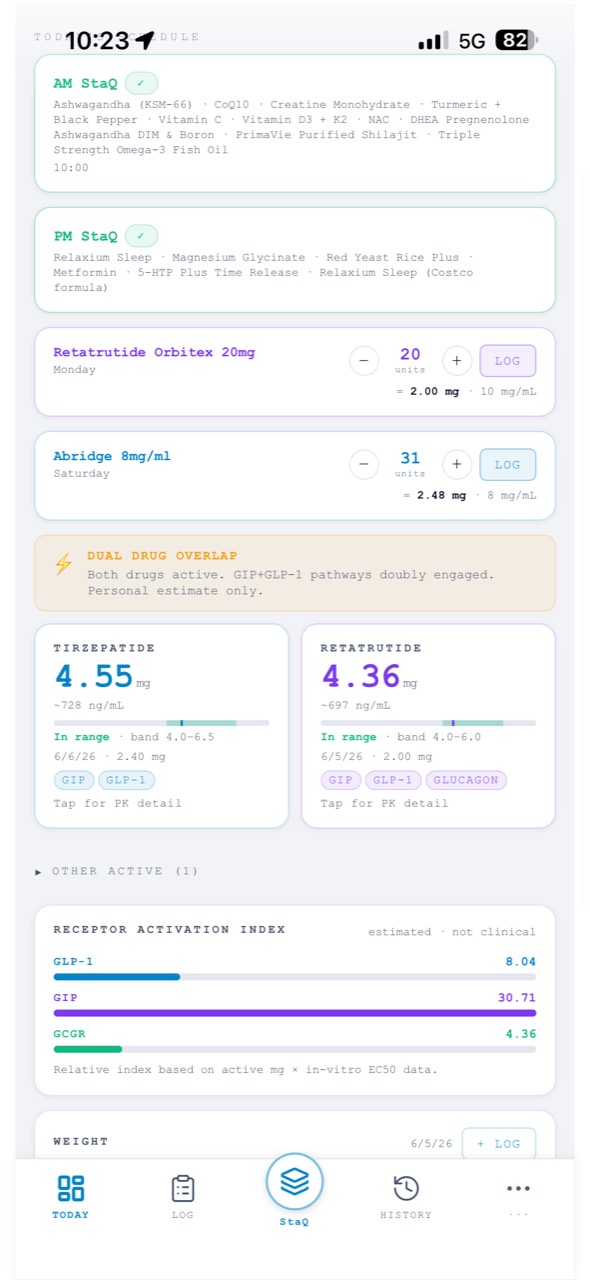
More on the everyday workflow in Log a dose.
Make the check-in yours
Daily check-ins track how you're feeling across Physical, Mental, and Mood — but you don't track all of it. In the Check-in tab, switch on only the metrics that matter to you, add your own, and hide the rest. A check-in you'll actually do every day beats a long one you'll skip, and the metrics you keep are what feed your trends over time.